

Ever wondered if a quick search could solve puzzles in your local court records? The DC Superior Court's case search tool makes it really easy to find case details, court opinions, and even docket entries. You don’t have to leave your computer to dig into legal records anymore. This guide walks you through simple, step-by-step tips on how to use the portal. So whether you’re looking for specific case numbers or just want a broader look at the docket, you’ll get clear legal answers right when you need them.
Accessing the DC Superior Court Case Search Portal
Head over to the official DC Courts website to check out the case search portal for the Superior Court. This handy tool lets you look up docket entries and court opinions with ease. You can also browse signed and per curiam opinions from the D.C. Court of Appeals dating back to mid-1998, and even see monthly Memorandum Opinions and Judgments since September 1999.
When you get to the portal, you might be asked to log in with your details. You can search by case number, party names, or filing dates. The website is designed to be user-friendly, with simple filters to help you narrow down your search. Need a full transcript of a court proceeding? Sadly, those aren’t available online. Just submit a request to the Court Reporting Division, and they’ll process it for a fee.
If you ever need in-person help or extra documents, visit the Superior Court Clerk’s Office at Moultrie Courthouse, 500 Indiana Ave. NW, Room 2500, Washington, D.C. 20001. You can also give them a call at 202-879-1400. This portal truly serves as a gateway to key legal records for the DC area.
Essential Information for DC Superior Court Case Search

When you search for a case in DC's legal system, the tool is built to help you find what you need quickly. You can enter a full or partial party name and choose a specific range of hearing dates. It’s as simple as putting in the right details to narrow down a huge set of court records.
You can also use the docket schedule lookup to focus on upcoming court dates by division, such as Civil, Criminal, or Family. This makes it easier to see the latest filings and actions in court. And if you pick the right document type, like orders, motions, or judgments, you’ll get even more accurate results.
To get the best search results, be sure to include:
- Case number in the format YYYY-D-NNNN
- Exact or partial party names
- A clear hearing date range
- Division codes for Civil, Criminal, or Family cases
- Document type filters such as orders, motions, or judgments
Tips for a Successful Online DC Case Inquiry
When using the online DC case inquiry portal, you can narrow your search by date, division, and document type. Sometimes you might run into glitches like a session timing out or errors with the PDF viewer. If that happens, try updating your browser. Using an old browser is a bit like trying to run today’s apps on an old computer, upgrading makes everything run smoother.
It helps to clear your cache before you start your search. Think of it like tidying your desk so your computer can quickly find the files you need. You might also want to disable pop-up blockers to avoid any interruptions, especially if the portal shows extra details in small windows.
Here are some tips to boost your search:
| Tip | Why It Helps |
|---|---|
| Use the latest browser version | Makes sure you have all the newest features and fixes |
| Clear your cache before searching | Keeps your computer running smoothly by removing old data |
| Disable pop-up blockers | Prevents interruptions if extra windows pop up |
| Install a compatible PDF plugin | Ensures PDF files open correctly without errors |
If you still have trouble after trying these steps, reach out to the court’s help desk for support. Updating your system and following these tips can help you avoid session time-outs and other technical hiccups, letting you focus on getting the document details you need.
dc superior court case search: Clear Legal Answers
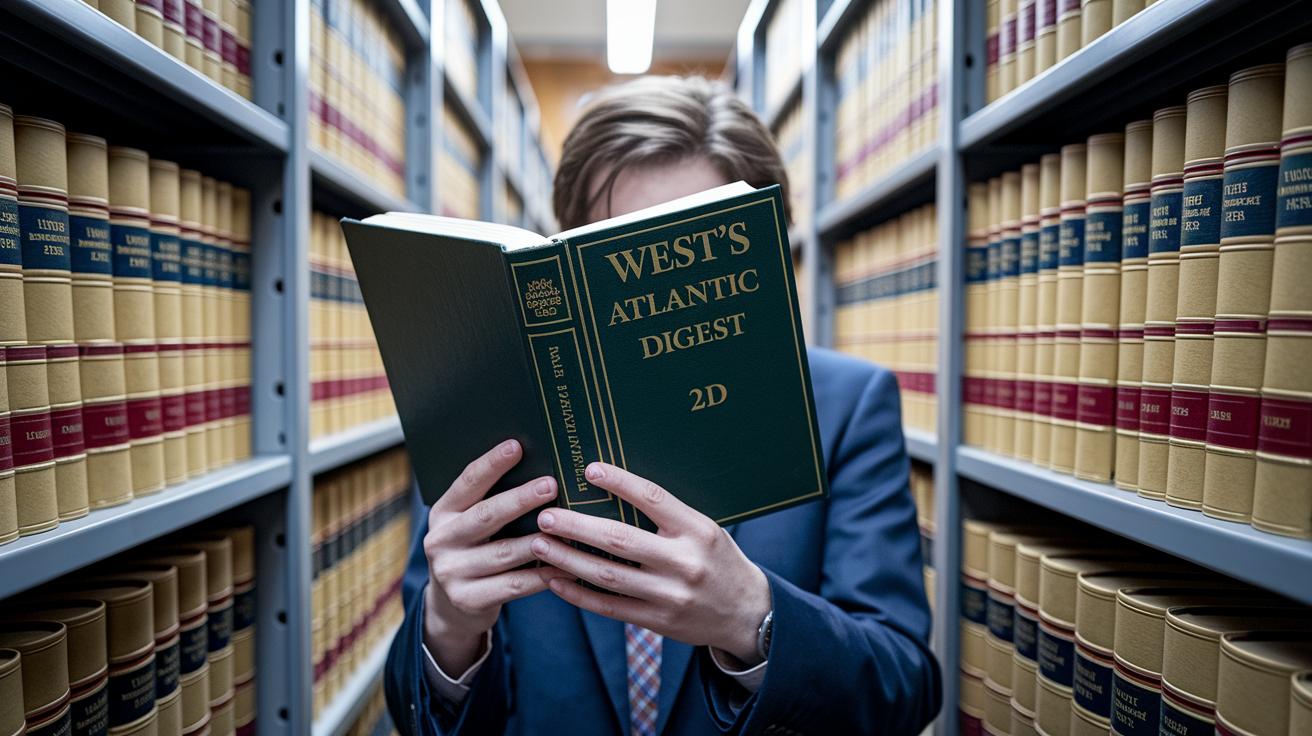
Sometimes online records just don’t have everything you need. In these cases, printed materials are a great way to dive into DC case law. The Kathryn J. DuFour Law Library offers handy print guides that help you find old court records. They work well with online searches and add extra history and detail. For example, West’s Atlantic Digest 2d is a book that gathers all reported cases, giving you a physical snapshot of legal history. And the Daily Washington Law Reporter brings old court decisions to life with issues dating back to 1874.
You can also check out printed indexes and digests for Superior Court and Court of Appeals cases. These simple tools let researchers track down case details and review earlier judgments without relying only on computers. Need more documents or a paper copy of a court transcript? The Court Reporting Division keeps paper transcripts for all parts of the court, available for a small fee. Also, Georgetown Law Library’s Free and Low-Cost Legal Research Guide offers an easy way to explore district legal archives.
| Resource | Format | Coverage | Access Location |
|---|---|---|---|
| West’s Atlantic Digest 2d | Book | All reported cases | Closed Stacks South |
| Daily Washington Law Reporter | Periodical | 1874–present | Law Library Reading Room |
| Library Indexes & Digests | Superior & Appeals | Circulation Desk | |
| Court Reporting Transcripts | Paper | All divisions | CR Division, Fee Req’d |
Using these printed sources together with online data gives you a clearer, broader view of DC legal records.
Understanding Case Status, Opinions, and Docket Details from DC Superior Court Case Search
Every case file at DC Superior Court tells a clear story about where the case stands. Cases are marked as Open, Closed, or Pending. Open means the case is still moving forward; Closed shows that it has wrapped up, and Pending indicates that the decision is still being worked out. Imagine looking at a file and knowing right away if things are still in action or already finished.
When you search, you’ll see different types of opinions. Some opinions are published and come with titles like Signed Opinions or Per Curiam Opinions (these terms mean the decision is officially approved by the judge, with “Per Curiam” meaning the opinion is given collectively rather than by a single judge). These opinions are the ones you can rely on for solid legal information. On the other hand, Memorandum Opinions and Judgments (known as MOJs) are not published the same way and should be looked at a bit differently.
The docket entries give even more details. They list important events like motions, hearings, orders, and final judgments. Each entry shows the date, a short description, and often a link to the full document. When you click through, you see everything from the details of a motion to the contents of the final order. This layout makes it easy to follow the case, whether you’re checking on civil issues, criminal matters, or appeals.
External Databases and Historical Reports for DC Superior Court Cases

If you need a deeper look at DC legal history, subscription services like Westlaw are a great help. They include old records not just from the DC Superior Court but also from the DC Court of Appeals, District Court, Bankruptcy Court, and even some Supreme Court cases. This digital archive gives you a competitive edge by showing how cases have played out over time.
Lexis is another useful tool. It offers trial orders that go back to 1925 and Tax Division opinions from 1950. This helps anyone research old rulings and spot trends within DC's legal system with ease.
Plus, you can always head over to the DC Courts website to find official court reports and statistics. Here, detailed case records and summaries let you follow how key decisions were made and see how court processes have evolved in the capital.
These tools are perfect for supporting your research, case reviews, or even policy analysis.
Final Words
In the action, this piece has walked through how to use the dc superior court case search portal step by step. We covered key inputs like case numbers, party names, hearing dates, division codes, and document filters. Plus, we shared practical tips to improve your online search and highlighted offline resources for deeper dives into court records. It all comes together to help you confidently find the legal details you need. Stay informed and keep making smart, well-informed legal decisions.
FAQ
How can DC court cases be searched by name?
The DC court case search by name lets you use party names or case numbers to locate records. It’s accessible online, free, and offers filters for various case types like criminal and family matters.
How does a DC criminal case search work?
The DC criminal case search lets you target criminal case records using filters such as case numbers and hearing dates. This online tool helps you quickly locate updated court records.
How do I use the DC Family Court Case Search tool?
The DC Family Court Case Search tool is built for family law cases. It allows searches by case number, party names, and date ranges to provide precise and timely results.
How can cases be searched online?
An online case search accepts inputs like case numbers, party names, hearing dates, and document types. This makes accessing court records across divisions fast and simple.
How are Maryland case searches similar to DC searches?
Maryland case searches work similarly to DC searches by letting users search with names or case numbers. They provide updated records through dedicated online portals for legal matters.